

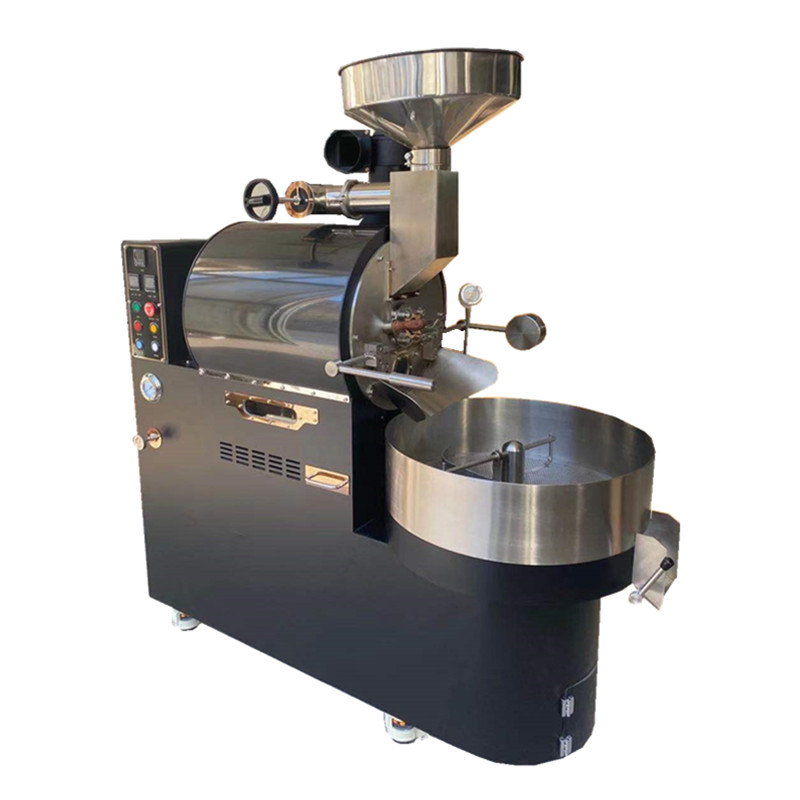
Elevating Coffee Roasting with Intuitive Touchscreen Interfaces
Streamlined Navigation for Enhanced User Experience
Touchscreen interfaces on coffee roasting machines replace traditional button-based controls with sleek, responsive displays that simplify operation. These screens use high-resolution graphics and intuitive icons to guide users through every step of the roasting process, from selecting bean profiles to adjusting temperature curves. For example, a single tap might open a menu to choose between light, medium, or dark roast presets, while swiping gestures allow quick transitions between different monitoring screens. This visual clarity reduces the learning curve for new operators, enabling them to master complex roasting techniques faster than with analog controls.
The layout of touchscreen interfaces is often customizable, allowing roasters to prioritize frequently used functions. Users can rearrange widgets to display critical metrics like bean temperature or airflow speed front and center, while hiding less relevant data in secondary menus. Some systems even support multi-touch gestures, such as pinch-to-zoom on temperature graphs, for deeper analysis of roast progress. This flexibility ensures that both novice and experienced roasters can tailor the interface to their workflow, improving efficiency and reducing errors during high-pressure production runs.
Real-Time Data Visualization for Precision Control
Touchscreens excel at presenting complex roasting data in an easily digestible format. Instead of relying on separate gauges or dials, these interfaces consolidate information into dynamic charts and graphs that update in real time. For instance, a line graph might track bean temperature against time, with color-coded zones indicating key roast phases like drying, Maillard reaction, and development. This visual feedback helps roasters identify trends quickly, such as a sudden spike in temperature that could lead to scorching, and make immediate adjustments via the touchscreen.
Interactive elements further enhance control precision. Tapping on a data point in a graph might reveal detailed metrics like heat flux or airflow velocity, while dragging sliders can fine-tune parameters mid-roast. Some systems even offer haptic feedback, such as a subtle vibration when the machine reaches a target temperature, ensuring operators stay informed without needing to constantly glance at the screen. These features empower roasters to maintain tighter control over flavor development, resulting in more consistent and nuanced coffee profiles.
Customizable Roast Profiles for Creative Experimentation
Touchscreen interfaces make it easy to create, save, and replicate custom roast profiles. Roasters can design multi-stage curves by setting temperature and time targets for each phase, then store these profiles in the machine’s memory for future use. For example, a profile for a floral Ethiopian bean might include a slow initial drying phase to preserve acidity, followed by a rapid ramp-up during the Maillard stage to enhance sweetness. Once saved, this profile can be recalled with a few taps, ensuring identical results batch after batch.
The ability to share profiles digitally adds another layer of creativity. Roasters can export their custom curves as files and exchange them with colleagues or upload them to online communities, fostering collaboration and innovation. Some interfaces even include a library of preloaded profiles from industry experts, serving as inspiration for beginners or a starting point for advanced experimentation. This openness to customization encourages roasters to push boundaries, exploring new flavor combinations and roasting techniques that would be difficult to achieve with manual controls.
Multi-Language Support and Accessibility Features
Modern touchscreen interfaces prioritize inclusivity by offering multi-language support and accessibility options. Roasters can switch the display language to suit their native tongue, ensuring clear communication of critical information regardless of the operator’s background. This is particularly valuable in multicultural workplaces or regions where coffee roasting is a growing industry. Additionally, features like adjustable font sizes, high-contrast color schemes, and voice-guided instructions make the technology accessible to users with visual or cognitive impairments, promoting diversity in the coffee roasting community.
Accessibility extends to remote operation capabilities as well. Many touchscreen systems integrate with mobile apps or cloud platforms, allowing roasters to monitor and adjust the machine from anywhere with an internet connection. This is useful for managing multiple roasters across different locations or troubleshooting issues without needing to be physically present. By combining linguistic flexibility with remote accessibility, touchscreen interfaces ensure that coffee roasting technology is available to a broader audience, driving innovation and quality improvement worldwide.
Integration with Quality Control and Inventory Management
Touchscreen interfaces often serve as hubs for broader quality control and inventory management workflows. For example, they can sync with barcode scanners to log bean origins, moisture levels, and batch numbers automatically, reducing manual data entry errors. During roasting, the system might cross-reference real-time metrics with historical data to flag inconsistencies, such as a batch developing faster than usual due to higher initial moisture content. Alerts can then prompt operators to adjust settings or inspect the beans more closely, preventing defects before they reach customers.
Inventory tracking is another key integration point. The interface can display current stock levels of different bean varieties, alerting roasters when supplies are running low and suggesting reorder quantities based on production schedules. Some systems even generate reports on roast yield and waste, helping businesses optimize their purchasing and production strategies. By centralizing these functions on a single touchscreen, roasters gain a holistic view of their operations, enabling data-driven decisions that improve efficiency and product quality.